Pop-ups and ads, washed off the page
Pagewash hides cookie pop-ups, newsletter overlays and notification prompts, and blocks ads and trackers in Chrome.
Works in Chrome on a computer.
- Free, with no premium version
- No account
- Collects no data
- pop-ups hidden
- 0
- ad and tracker requests blocked
- 0
- page scrolling
- Off
For people who came to read
News readers
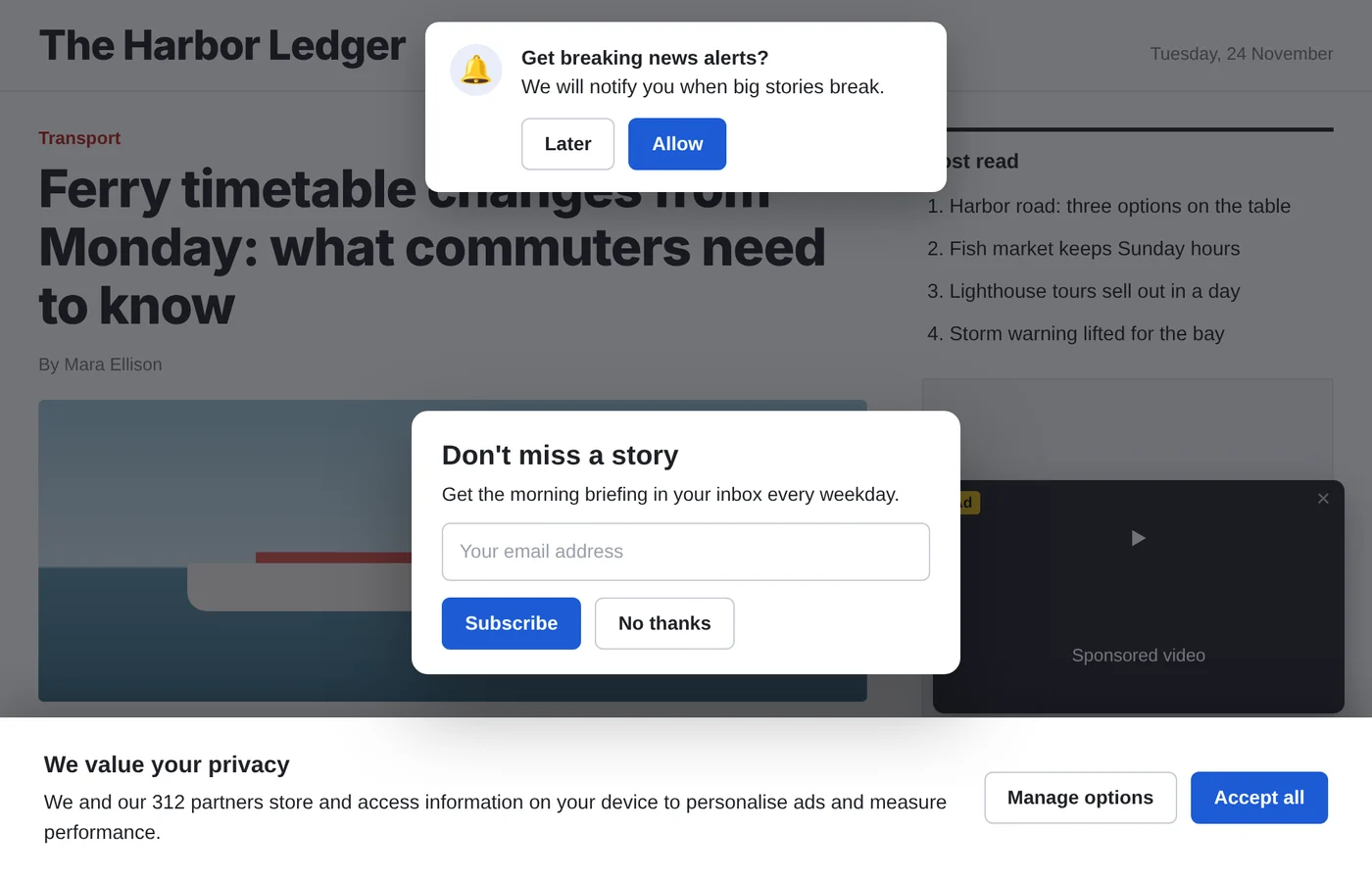
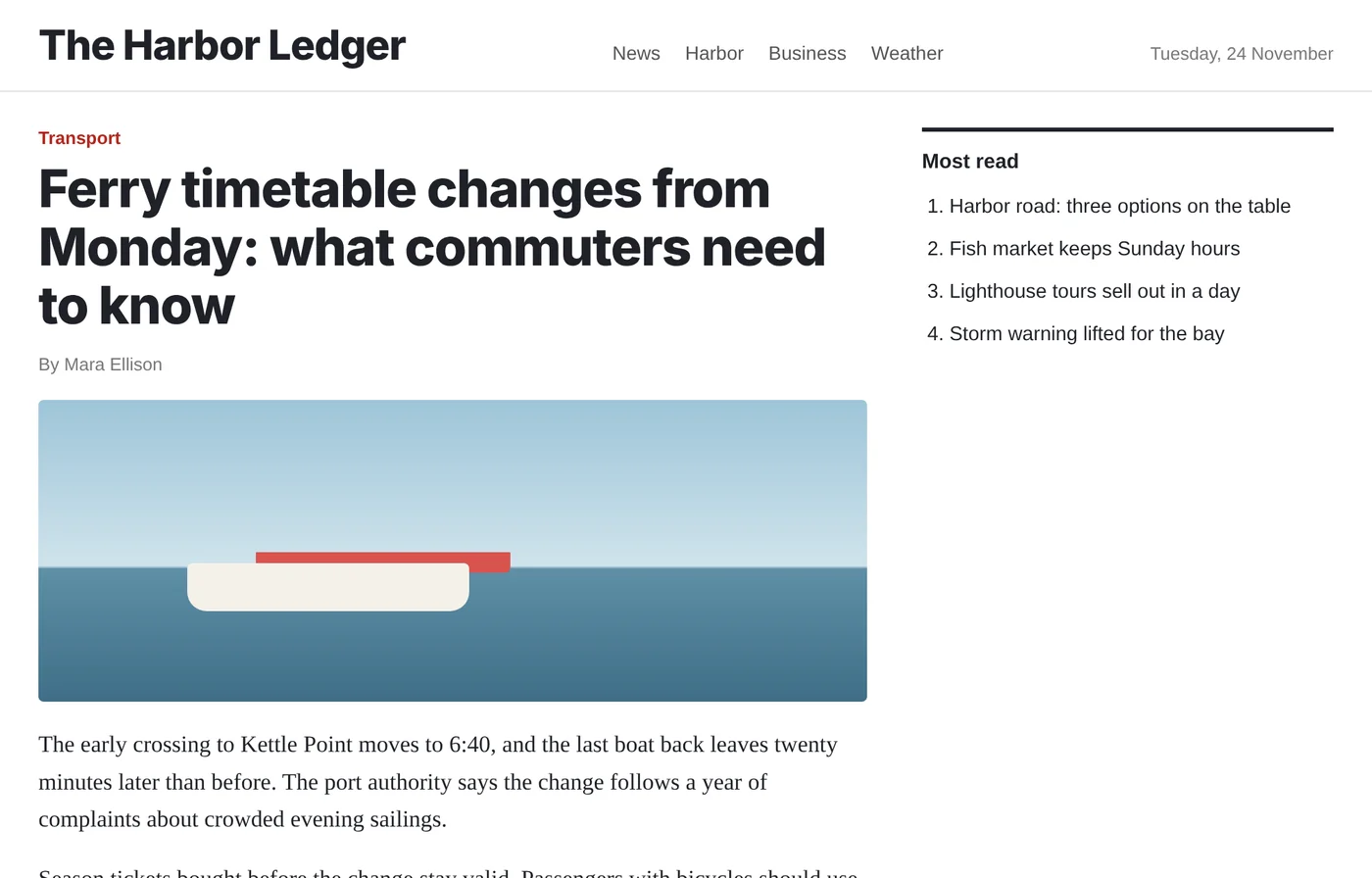
Open an article without first closing a consent box, a sign-up form and a video playing in the corner.
Recipe and how-to readers
Get to the steps without banners pushing the text down while you scroll.
Shoppers comparing prices
Move between shops without each one asking for notifications and your email address.
People who left another blocker
Because it asked to share their browsing data or wanted a subscription. Pagewash does neither.
What changes
- Less clickingPop-ups are hidden while the page loads, so there is nothing to close.
- Nothing accepted for youCookie pop-ups are hidden, not clicked. Your consent stays unanswered.
- Pages that scrollIf a site froze the page behind its pop-up, the page scrolls again.
- Nothing to set upIt works on every site after you add it. Pause it only where you want.
How it works
Add Pagewash to Chrome
It starts working right away. No account, no settings to choose.
Open any site
Chrome applies the filter rules as the page loads. Pin the icon to see what was removed.
Pause it where you like
If a site breaks or you want to support it, switch Pagewash off there in one click.
A closer look
See what was removed
Click the icon: pop-ups and blocked requests are counted separately for the page you are on, and the badge on the icon shows the number as you browse.
Hide anything else
Right-click and choose “Hide an element with Pagewash”. Point at the box you want gone, widen or narrow the selection, and click Hide. It stays hidden on that site, and you can bring it back in the settings.
Pause on one site
One switch turns Pagewash off for the site you are on and remembers it. Reload the page and its pop-ups and ads are back.
Your list of allowed sites
All sites where Pagewash stays off are in one list. Add a domain by hand or remove one to start blocking there again.
Your own rules
Turn each filter list on or off, hide page elements or not, and add your own filters in AdBlock syntax if you know it.
What you get, and where it stops
- ≈95,000ad and tracking domains in the built-in rules
- 3filter lists: EasyList, EasyPrivacy and Fanboy’s Annoyance List
- 0servers, accounts or analytics
Free, with no premium version. Works in Chrome, Edge and Brave on a computer. Chrome doesn’t let extensions run on Web Store pages or the browser’s own settings pages. The YouTube option depends on how YouTube serves ads and can stop working until the next update. Filter lists are updated with each new version of the extension.
Nothing leaves your browser
- Pagewash has no server. There is nowhere for your data to go.
- Chrome applies the blocking rules itself; Pagewash never sees what a request contains.
- Your settings, allowed sites and counters stay on your computer.
- Filter lists come built in and are updated with the extension, not downloaded in the background.
- Blocking rules
- Settings and counters
- Pages you visit
Read the page, not the pop-ups
Add Pagewash to Chrome and open the site that annoyed you most.